PDF too big to email? Fix it in one drag.
Gmail allows 25 MB of attachments per message, and many work mail servers allow less. Here’s how to get any PDF under the limit without uploading it anywhere.
Free 7-day trial · then one purchase, no subscription · macOS 14+
In short: To email a PDF that’s too big, compress it with Sheaf’s Fit 25 MB (or the limit your email uses). If it can’t get that small without hurting quality, choose Split › By size to make parts that each fit, and send them in separate emails.Updated 13 November 2026
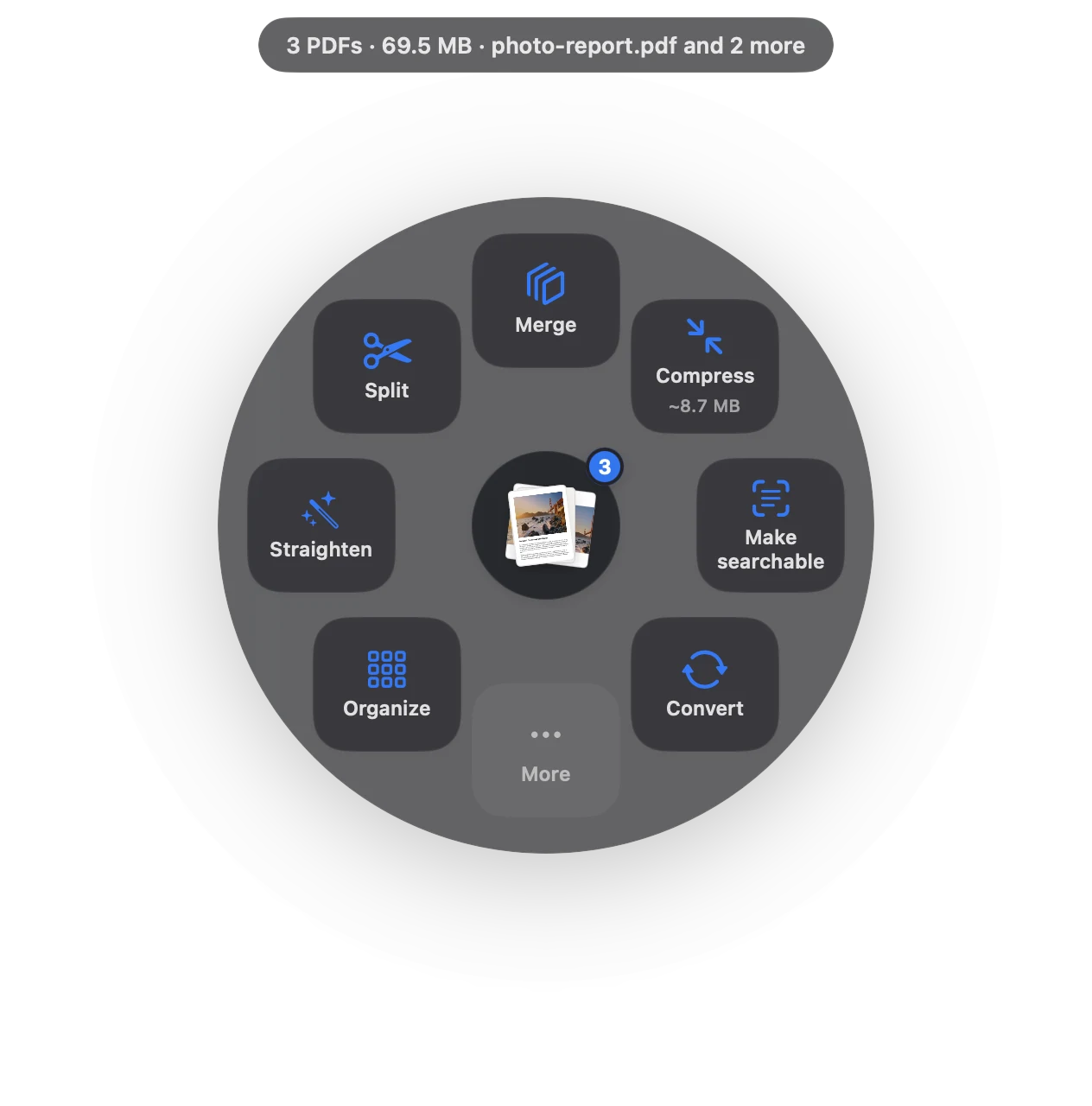
PDF too big to email in three moves.
No app to open, no window to find. It happens where the file already is.
- Drag
Start dragging the file from Finder, Mail, Photos or your desktop.
- Pause
Hold still for a moment. Sheaf’s actions open in a circle around your cursor.
- Choose Compress › Fit 25 MB
Sheaf shrinks it until it fits. Still too big? Split › By size makes parts that fit.
Three ways to do it, honestly compared.
Preview (built in)
Export with Quartz Filter › Reduce File Size, then check the size.
- Free
- No target size: try and check
- Text often comes out blurry
Online PDF sites
Upload the file to a website, wait, download the result.
- Your document goes to someone else’s server
- Free plans limit files, size or tasks per day
- Needs an internet connection
SheafFastest
Drag the file, pause, let go.
- Targets a size: Fit 25 MB or Fit 5 MB
- Splits into parts that each fit
- Text stays sharp
How big is too big?
Personal Gmail accounts can attach up to 25 MB per message; anything larger is turned into a Google Drive link (Google’s help page). Other providers and company mail servers set their own limits, and many are lower, so check yours.
Attachments grow by about a third when they’re encoded for email, and the whole message counts, so aim a little under the limit.
Why not use a cloud link?
Links work, but the receiver needs to open another site, links expire, and some offices block them. A file under the limit just arrives.
Uploading to a portal instead?
Government and job portals often allow far less, sometimes 2–10 MB. See PDF size limits for IRS, USCIS, ATO and other portals, and use Fit 5 MB.
Questions
How do I reduce a PDF to under 25 MB on a Mac?
Drag it, pause, choose Compress › Fit 25 MB in Sheaf. In Preview, Export with the Reduce File Size filter and check the result.
What if the PDF is still too big after compressing?
Split it into email-sized parts with Split › By size and send them in separate emails, or share a link instead.
Why is my PDF so large?
Usually scanned pages or photos saved at full resolution. Compressing shrinks those images and keeps text sharp.
Related tools and guides
Your next PDF takes one second.
Drag it, pause, let go. Free for 7 days, then yours with one purchase. Family Sharing included.
Download for MacMac App Store · macOS 14 or later · Apple silicon and Intel