Redact a PDF on Mac. Really redact it.
Drawing a black box over text is not redaction: the words underneath can still be copied. Real redaction deletes them from the file.
Free 7-day trial · then one purchase, no subscription · macOS 14+
In short: To redact a PDF on a Mac, drag it, pause and choose Redact in Sheaf. It finds names, emails, phone, card, account and ID numbers, you review them, and the text under each mark is deleted from the new copy.Updated 13 November 2026
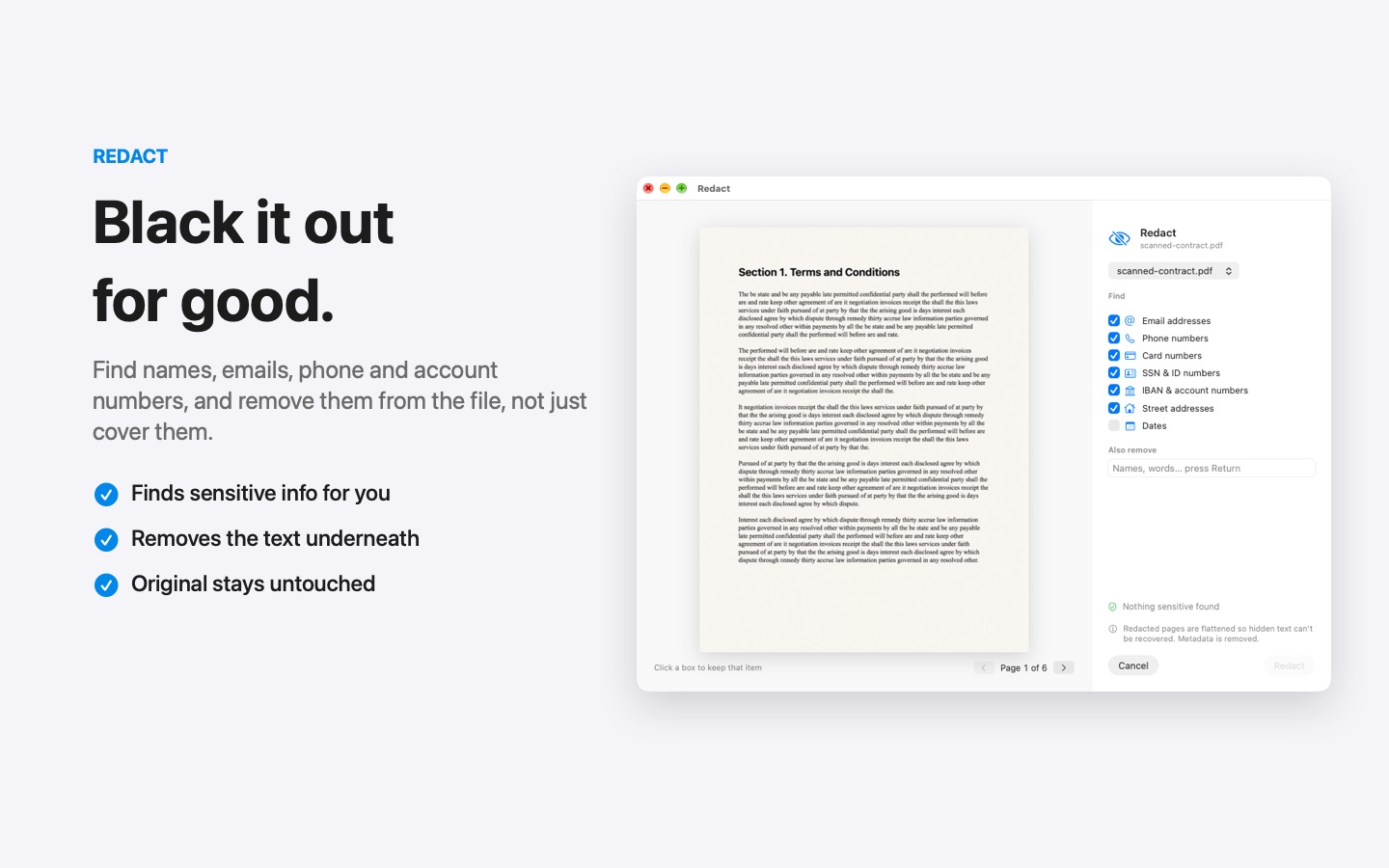
Redact PDF in three moves.
No app to open, no window to find. It happens where the file already is.
- Drag
Start dragging the file from Finder, Mail, Photos or your desktop.
- Pause
Hold still for a moment. Sheaf’s actions open in a circle around your cursor.
- Review and save
Sheaf lists what it found. Add or remove items, then save a redacted copy.
Three ways to do it, honestly compared.
Preview (built in)
Tools › Redact, then mark each item by hand.
- Free and built in
- You must find every item yourself
- Easy to miss one on a long document
Online PDF sites
Upload the file to a website, wait, download the result.
- Your document goes to someone else’s server
- Free plans limit files, size or tasks per day
- Needs an internet connection
SheafFastest
Drag the file, pause, let go.
- Finds names, emails, phone, card and ID numbers
- Deletes the text underneath, also in scans
- Original kept unchanged
Why black boxes fail
If you cover text with a shape in a PDF editor, the original text usually stays in the file. Anyone can select it, copy it, or delete the shape. This has leaked court filings and government documents more than once.
What Sheaf finds
Names, email addresses, phone numbers, payment card numbers, bank account numbers and national ID formats (like US Social Security numbers, UK National Insurance numbers, Australian TFNs and others), including in scanned pages it reads with on-device text recognition. You can add your own words too.
Also remove what you can’t see
A PDF can carry the author’s name, edit history, comments and attachments. Before sending a redacted file outside, remove hidden data too.
Questions
Can I redact in Preview?
Preview has a Redact tool, but you mark each item yourself. Sheaf finds names, emails and numbers for you and removes the text underneath.
Can redacted text be recovered?
Not from a properly redacted file: the text is removed, not hidden. Keep the original somewhere safe if you need it later.
Does redaction work on scanned PDFs?
Yes. Sheaf reads scanned pages with on-device text recognition, so it can find and remove details in scans too.
Is it safe to redact PDFs online?
You would be uploading the very information you want to hide. Redact on your Mac instead.
Related tools and guides
Author, history, comments, hidden layers.
Password-protect PDFLock a PDF before you send it.
OCR a scanned PDFMake scans searchable and copyable.
For law firmsBates, redaction, court-ready PDFs.
For healthcare officesPatient privacy, searchable scans.
For teachersWorksheets, handouts and privacy.
Your next PDF takes one second.
Drag it, pause, let go. Free for 7 days, then yours with one purchase. Family Sharing included.
Download for MacMac App Store · macOS 14 or later · Apple silicon and Intel