Compress a PDF on Mac in one second.
Email limits are usually 20–25 MB and scanned PDFs blow past that fast. Shrink any PDF right where it is, without sending it to a website.
Free 7-day trial · then one purchase, no subscription · macOS 14+
In short: To compress a PDF on a Mac, drag it, pause, and choose Compress in Sheaf: the smaller copy appears next to the original, with text kept sharp. Preview’s Reduce File Size filter also works, but often blurs text.Updated 13 November 2026
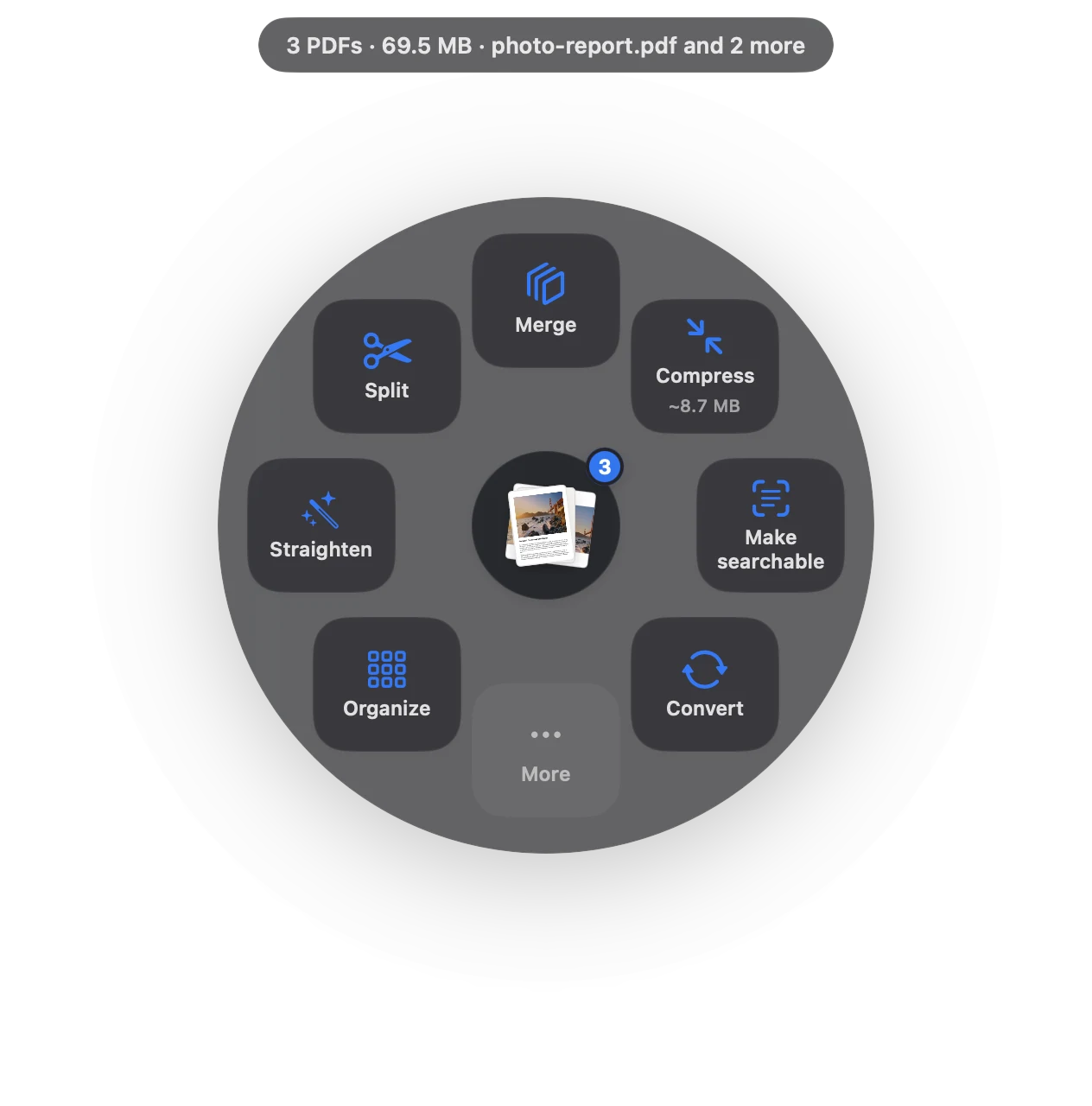
Compress PDF in three moves.
No app to open, no window to find. It happens where the file already is.
- Drag
Start dragging the file from Finder, Mail, Photos or your desktop.
- Pause
Hold still for a moment. Sheaf’s actions open in a circle around your cursor.
- Let go on Compress
The smaller copy appears beside the original, with the result, like “42.7 MB → 3.3 MB”.
Three ways to do it, honestly compared.
Preview (built in)
File › Export, Quartz Filter › Reduce File Size.
- Free and already on your Mac
- One setting; text and charts often go blurry
- Sometimes makes small files bigger
Online PDF sites
Upload the file to a website, wait, download the result.
- Your document goes to someone else’s server
- Free plans limit files, size or tasks per day
- Needs an internet connection
SheafFastest
Drag the file, pause, let go.
- About a second, even for big scans
- Text stays sharp; images and scans shrink most
- Fit 25 MB for email, Fit 5 MB for upload forms
What actually makes a PDF big
Almost always it’s images: scanned pages, photos and slide backgrounds saved at full camera resolution. Text and vector drawings are tiny by comparison. A good compressor shrinks the images and leaves the text alone, so the file gets smaller while the words stay crisp when you zoom in or print.
That’s the difference you see between Preview’s Reduce File Size filter and Sheaf. Preview applies one aggressive setting to everything, which is why text in scans and charts often turns soft. Sheaf compresses scans and photos hardest and keeps text as text.
Choosing a size
- Balanced (default) is made for email: most files drop 70–90% and still look right on screen and on paper.
- Fit 25 MB keeps going until the file fits the usual email limit; Fit 5 MB targets upload forms.
- If a file can’t get small enough without hurting it, split it into email-sized parts instead.
Real numbers
On a Mac with Apple silicon, a 42.7 MB slide deck becomes 3.3 MB in about 0.6 seconds (Balanced). Your results depend on what’s inside the PDF: a scan of 30 pages shrinks far more than a text-only report that’s already small.
Why not use a website?
Online compressors work, but the file is uploaded to someone else’s server. That’s a bad trade for contracts, IDs, tax returns, medical records and bank statements, which are exactly the files that tend to be large scans. Sheaf never uploads anything; it works with Wi-Fi off.
Questions
Does compressing a PDF reduce quality?
Some, mostly in images. Sheaf’s Balanced setting shrinks scans and photos while keeping text as sharp vector text, so documents still read and print well.
How do I compress a PDF on a Mac for free?
Preview can: File › Export, then Quartz Filter › Reduce File Size. It’s free but often blurs text. Sheaf’s 7-day trial is free and then keeps 3 actions a day free.
Is it safe to compress PDFs online?
Online tools upload your document to their servers. For private documents, use an app that compresses on your Mac, like Preview or Sheaf.
How do I make a PDF small enough to email?
Compress it with Fit 25 MB. If it still doesn’t fit, split it into email-sized parts. Sheaf does both from the same drag.
Related tools and guides
Get under 25 MB, or split into parts.
Split PDFBy page, by range or by size.
Merge PDFsPDFs and images into one file, with bookmarks.
Upload size limitsIRS, USCIS, ATO and more, with sources.
OCR a scanned PDFMake scans searchable and copyable.
Best PDF apps for MacEight apps compared, with prices.
Your next PDF takes one second.
Drag it, pause, let go. Free for 7 days, then yours with one purchase. Family Sharing included.
Download for MacMac App Store · macOS 14 or later · Apple silicon and Intel