Fill in a PDF form without printing.
Applications, school forms, tax forms, rental forms: type the answers, sign, and send a copy where the answers can’t be edited.
Free 7-day trial · then one purchase, no subscription · macOS 14+
In short: To fill out a PDF form on a Mac, drag it, pause and choose Fill form in Sheaf, type into the fields, then save a copy (optionally with the answers locked into the page). Preview also lets you type into form fields.Updated 13 November 2026
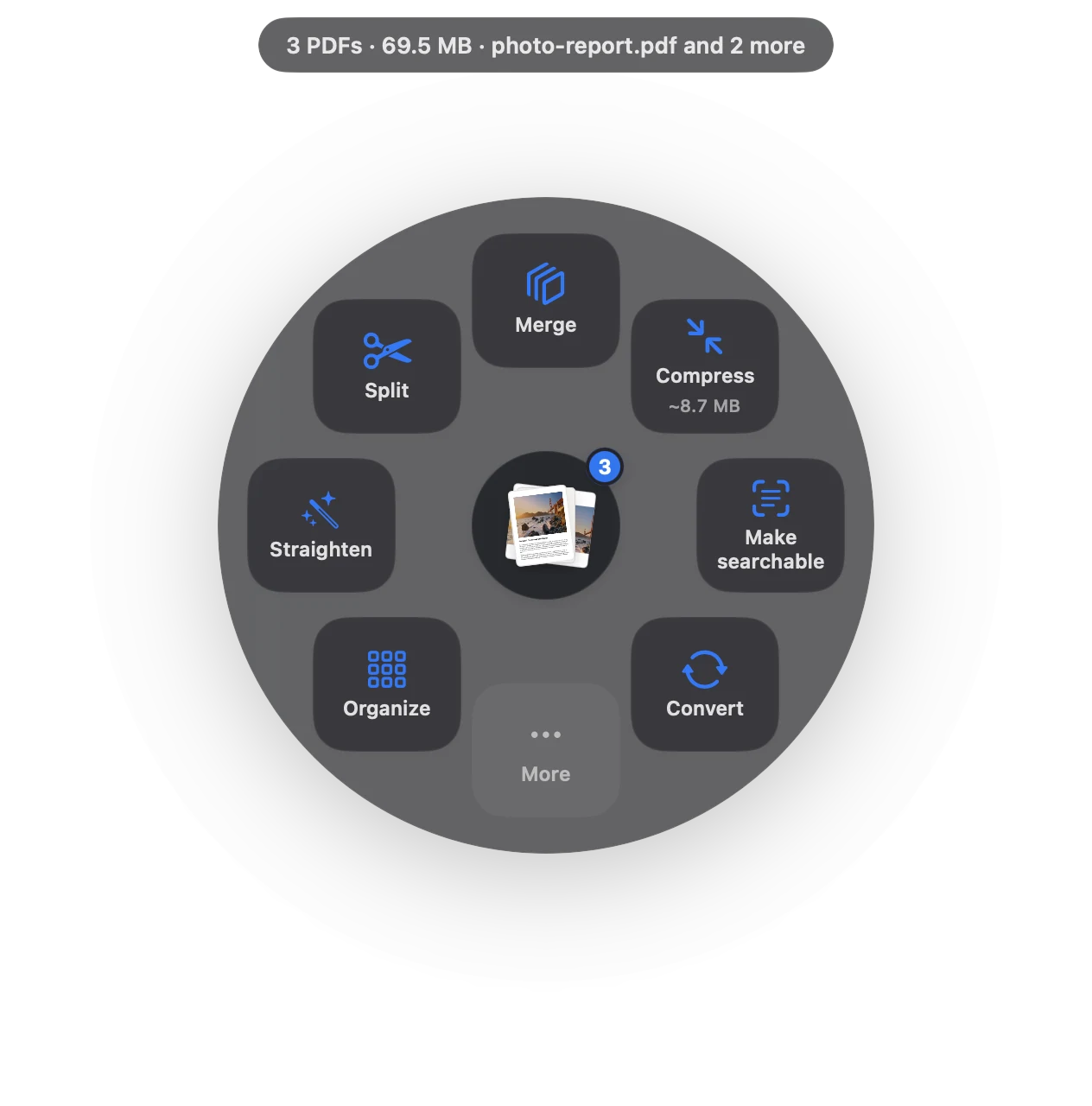
Fill PDF forms in three moves.
No app to open, no window to find. It happens where the file already is.
- Drag
Start dragging the file from Finder, Mail, Photos or your desktop.
- Pause
Hold still for a moment. Sheaf’s actions open in a circle around your cursor.
- Choose More › Fill form
Type the answers, then save, or lock them so they can’t change.
Three ways to do it, honestly compared.
Preview (built in)
Click a field and type; save.
- Free and built in
- Types into form fields
- Answers stay editable
Online PDF sites
Upload the file to a website, wait, download the result.
- Your document goes to someone else’s server
- Free plans limit files, size or tasks per day
- Needs an internet connection
SheafFastest
Drag the file, pause, let go.
- Type into form fields
- Lock the answers into the page
- Sign the completed copy
Lock the answers
A filled form usually stays editable: anyone can change an answer. Choosing to lock (flatten) the answers draws them into the page, which is what many offices and courts ask for.
Forms without fields
Scanned forms have no fields to type into. Print-and-scan is the fallback, or ask the sender for a fillable version.
Then sign
Finish by signing the PDF, and compress it if it must be uploaded.
Questions
How do I fill out a PDF form on a Mac?
Open it in Preview and click the fields, or drag it onto Sheaf and choose Fill form.
How do I make a filled form uneditable?
Choose to lock the answers in Sheaf; they’re drawn into the page.
Why can’t I type into my PDF form?
It may be a scan with no form fields. Ask for a fillable version, or print and scan it.
Related tools and guides
Your next PDF takes one second.
Drag it, pause, let go. Free for 7 days, then yours with one purchase. Family Sharing included.
Download for MacMac App Store · macOS 14 or later · Apple silicon and Intel