Rotate PDF pages and straighten crooked scans.
Sideways pages from the office scanner, upside-down phone scans, slightly tilted receipts. Set them right and save, in one drag.
Free 7-day trial · then one purchase, no subscription · macOS 14+
In short: To rotate a PDF on a Mac, drag it, pause and choose Straighten in Sheaf: it turns sideways pages upright and straightens tilted scans, then saves a copy. In Preview, select pages and press Cmd-R, then save.Updated 13 November 2026
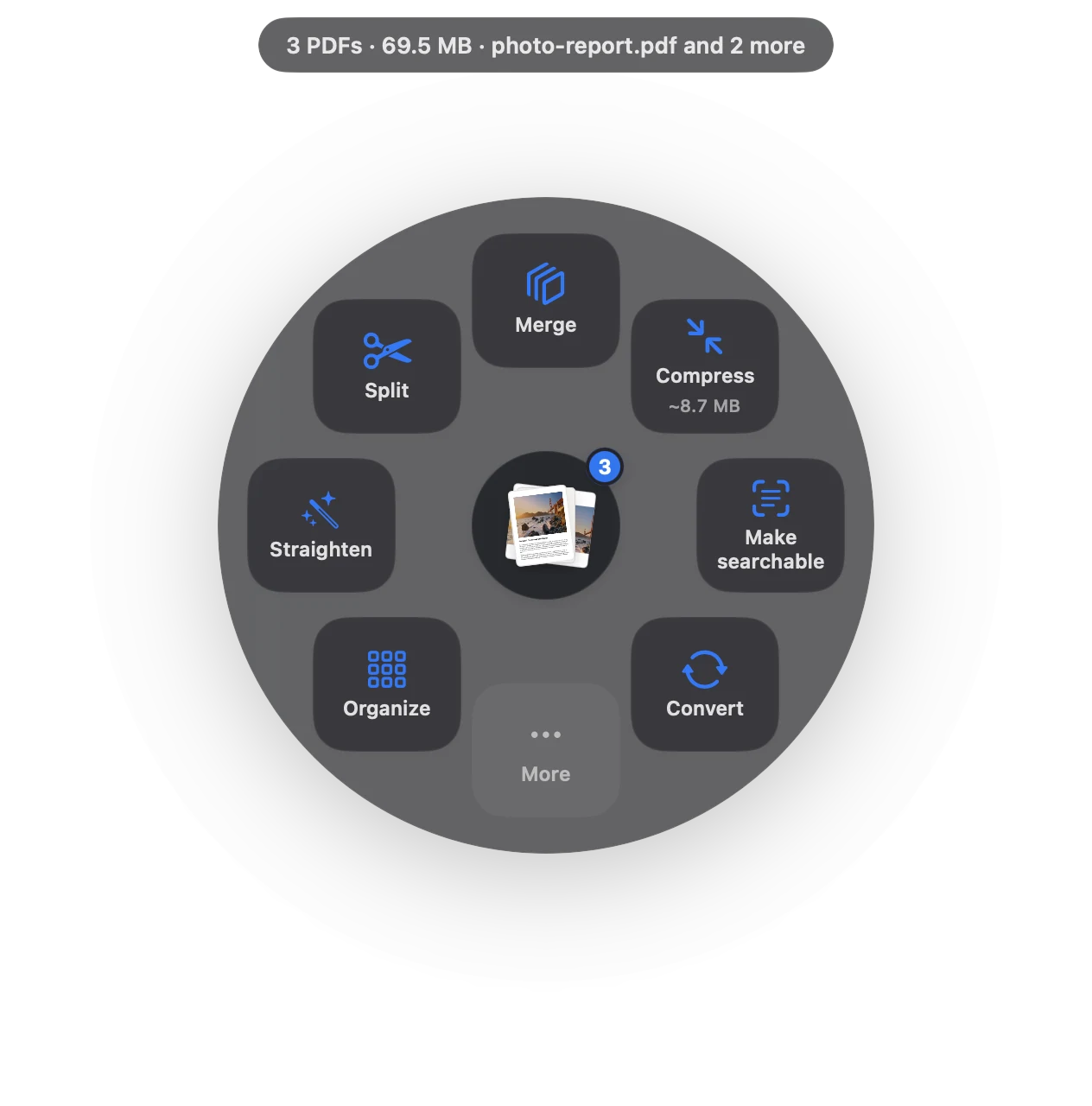
Rotate PDF in three moves.
No app to open, no window to find. It happens where the file already is.
- Drag
Start dragging the file from Finder, Mail, Photos or your desktop.
- Pause
Hold still for a moment. Sheaf’s actions open in a circle around your cursor.
- Let go on Straighten
Sideways pages turn upright; tilted scans are levelled. A fixed copy appears.
Three ways to do it, honestly compared.
Preview (built in)
Select pages in the sidebar, press Cmd-R, save.
- Free and built in
- You find and rotate each page
- Can’t straighten a tilted scan
Online PDF sites
Upload the file to a website, wait, download the result.
- Your document goes to someone else’s server
- Free plans limit files, size or tasks per day
- Needs an internet connection
SheafFastest
Drag the file, pause, let go.
- Finds sideways pages for you
- Levels slightly crooked scans
- Fixed copy saved, original kept
Rotate a few pages by hand
For exact control, choose Organize: you see every page and can rotate any of them by 90°, reorder or delete pages, then save one file.
Then make it searchable
Upright, level pages give much better text recognition. After straightening a scan, make it searchable.
Questions
How do I rotate a PDF and save it on a Mac?
In Preview, select the pages, press Cmd-R and save. In Sheaf, choose Straighten and a fixed copy is saved for you.
How do I rotate only one page?
Use Organize in Sheaf, or select just that thumbnail in Preview and press Cmd-R.
Can I straighten a crooked scan?
Yes. Sheaf’s Straighten levels slightly tilted scanned pages.
Related tools and guides
Your next PDF takes one second.
Drag it, pause, let go. Free for 7 days, then yours with one purchase. Family Sharing included.
Download for MacMac App Store · macOS 14 or later · Apple silicon and Intel