PDF to Word on Mac, scans included.
Need to edit the words in a PDF? Get them into a Word document you can change, even when the PDF is a scan.
Free 7-day trial · then one purchase, no subscription · macOS 14+
In short: To convert a PDF to Word on a Mac, drag it, pause, choose Convert › Word in Sheaf. You get a .docx with the PDF’s text and basic styling, page by page; scanned pages are read with on-device text recognition first. The exact layout isn’t kept.Updated 13 November 2026
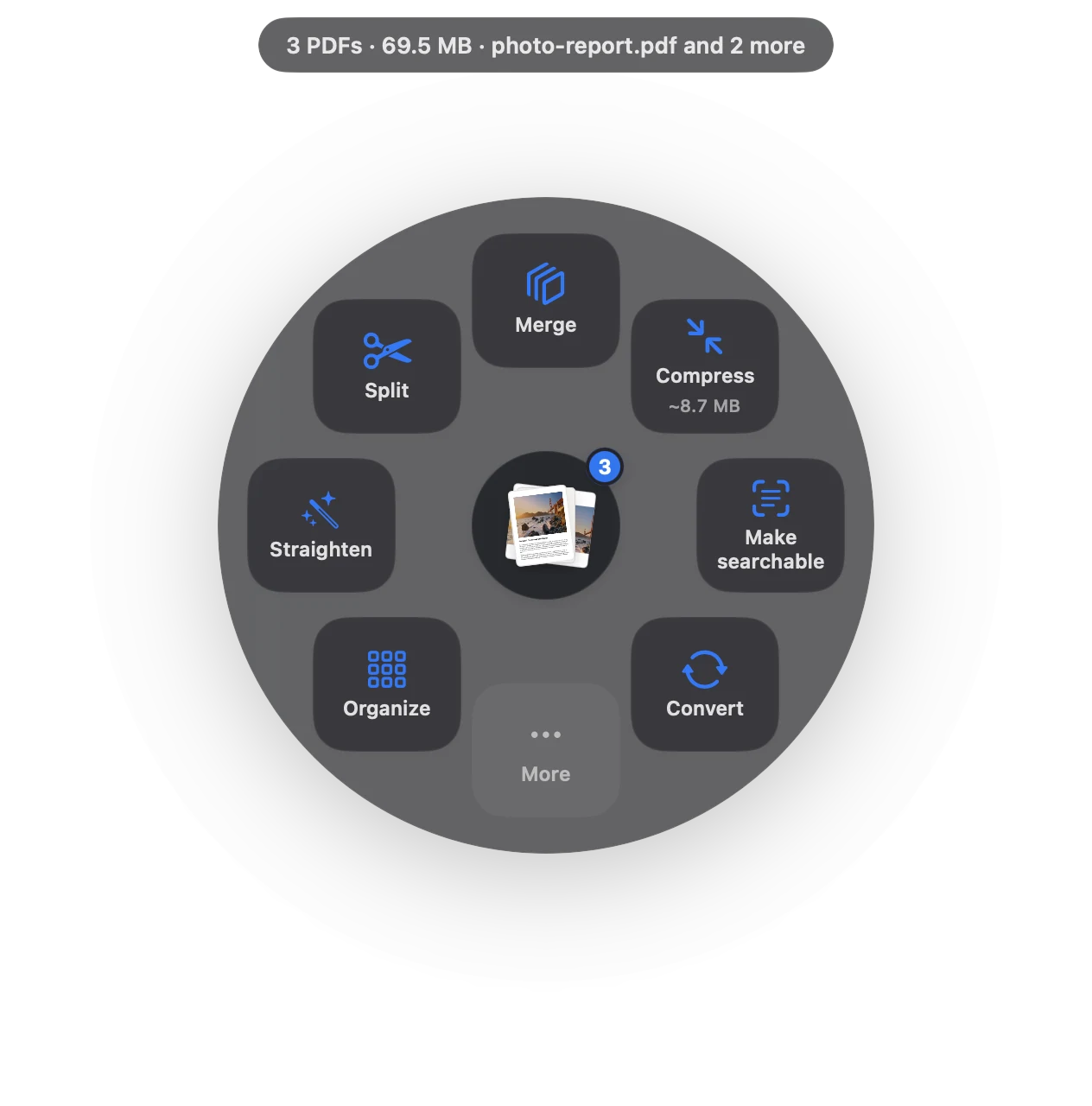
PDF to Word in three moves.
No app to open, no window to find. It happens where the file already is.
- Drag
Start dragging the file from Finder, Mail, Photos or your desktop.
- Pause
Hold still for a moment. Sheaf’s actions open in a circle around your cursor.
- Choose Convert › Word
A .docx appears next to the PDF. Open it in Word or Pages and edit.
Three ways to do it, honestly compared.
Preview (built in)
Select the text and copy it into a document.
- Free
- No Word export
- Copying from scans needs Live Text, page by page
Online PDF sites
Upload the file to a website, wait, download the result.
- Your document goes to someone else’s server
- Free plans limit files, size or tasks per day
- Needs an internet connection
SheafFastest
Drag the file, pause, let go.
- A real .docx, one section per page
- Scanned pages read on your Mac
- Text and basic styling; not the exact layout
What comes across
Sheaf puts the PDF’s text into Word with basic styling (bold, italic, sizes), one page after another. It’s made for getting the words back so you can edit or reuse them: a contract clause, a report, a letter.
It doesn’t rebuild complex layouts. Multi-column magazines, forms and tables may need tidying in Word. For tables of numbers, use PDF to Excel instead; for just the text, Convert › Text gives you a plain .txt.
Scanned PDFs
A scan is a picture of text. Sheaf reads it with macOS’s on-device text recognition before converting, so you get words, not images. To keep the PDF but make it searchable, use Make searchable.
Going the other way
Finished editing? Turn the Word file back into a PDF with the same drag.
Questions
Can I convert PDF to Word on a Mac without Adobe?
Yes. Sheaf converts PDFs to .docx on your Mac without Acrobat or an account.
Does it keep the formatting?
Text and basic styling, page by page. Complex layouts like columns, forms and tables may need tidying.
Can I convert a scanned PDF to Word?
Yes. Scanned pages are read with on-device text recognition first.
Related tools and guides
Word, RTF, text and web pages to PDF.
OCR a scanned PDFMake scans searchable and copyable.
Bank statement to ExcelEvery row checked against the balance.
PDF to JPGEvery page as a JPEG or PNG.
Redact PDFRemoves the text, not just covers it.
Adobe Acrobat alternativeWhen you don’t need a subscription.
Your next PDF takes one second.
Drag it, pause, let go. Free for 7 days, then yours with one purchase. Family Sharing included.
Download for MacMac App Store · macOS 14 or later · Apple silicon and Intel