Watermark a PDF on every page.
Mark drafts as Draft, quotes as Confidential, or send a copy with “Copy for ACME only” across every page.
Free 7-day trial · then one purchase, no subscription · macOS 14+
In short: To watermark a PDF on a Mac, drag it, pause and choose Watermark in Sheaf, pick Draft, Confidential or type your own words, and save. The watermark is drawn into every page so it prints and can’t be clicked away. Preview has no watermark feature.Updated 13 November 2026
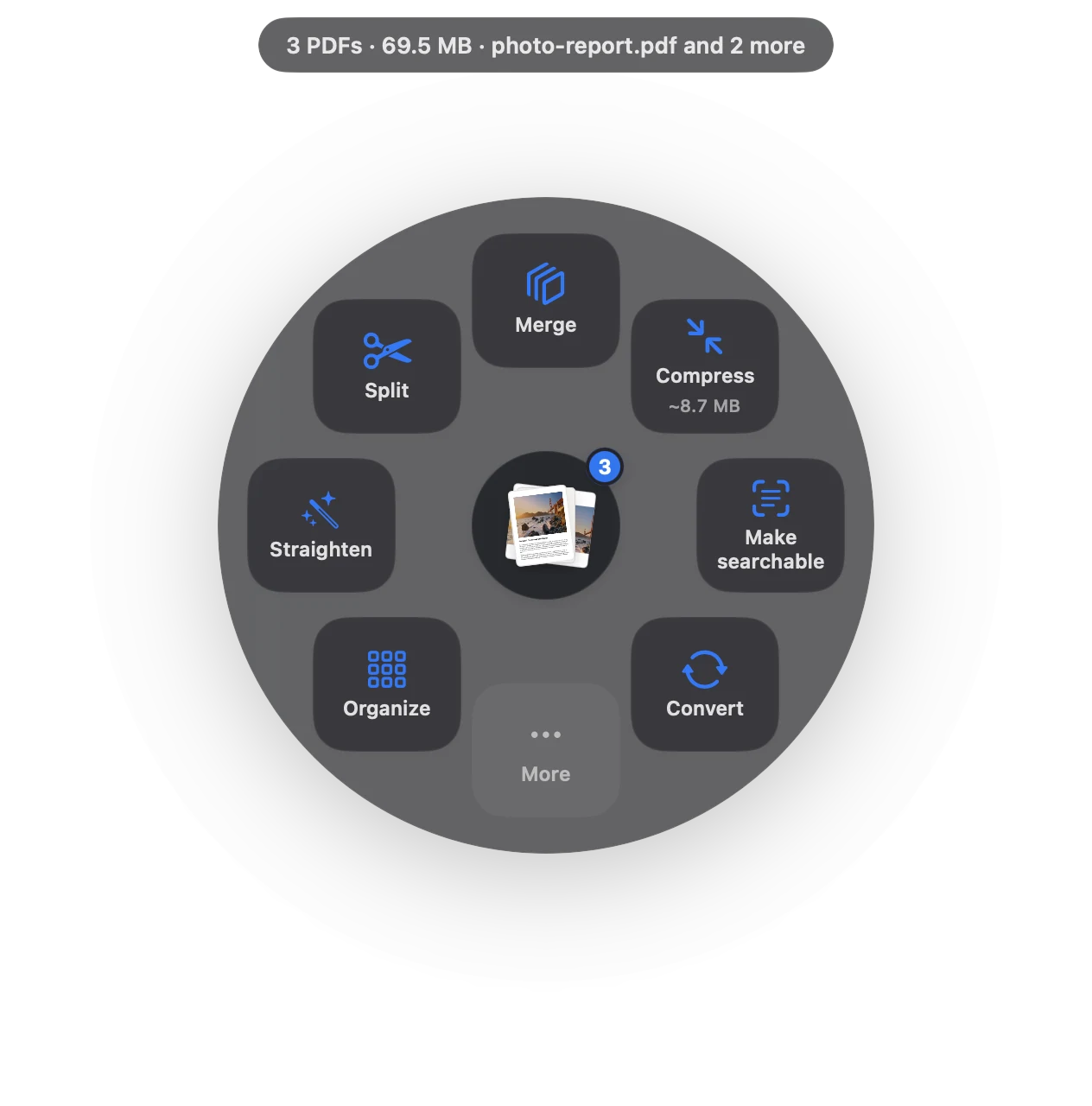
Watermark in three moves.
No app to open, no window to find. It happens where the file already is.
- Drag
Start dragging the file from Finder, Mail, Photos or your desktop.
- Pause
Hold still for a moment. Sheaf’s actions open in a circle around your cursor.
- Choose More › Watermark
Pick Draft or Confidential, or type your own words.
Three ways to do it, honestly compared.
Preview (built in)
No watermark tool in Preview.
- Free
- Can’t add a watermark
- Text boxes per page only
Online PDF sites
Upload the file to a website, wait, download the result.
- Your document goes to someone else’s server
- Free plans limit files, size or tasks per day
- Needs an internet connection
SheafFastest
Drag the file, pause, let go.
- Draft, Confidential or your words
- Drawn into every page
- Prints with the page
Watermarks that stay put
Some apps add watermarks as annotations anyone can select and delete. Sheaf draws the words into each page, so they print and stay with the file.
Watermark per recipient
Sending the same document to several people? Watermark a copy for each one (“Prepared for Jane Doe”) to discourage forwarding, then add a password.
Questions
Can I add a watermark in Preview?
No. Preview has no watermark tool.
Can a watermark be removed?
Sheaf draws it into the page, so it can’t be clicked away. Determined people with editing tools can still alter any PDF.
Can I use my own words?
Yes. Type any text, like your company name or “Copy for review”.
Related tools and guides
“Page 1 of 9”, headers, footers, Bates.
Password-protect PDFLock a PDF before you send it.
Redact PDFRemoves the text, not just covers it.
For small businessInvoices, contracts and receipts.
For teachersWorksheets, handouts and privacy.
Remove PDF metadataAuthor, history, comments, hidden layers.
Your next PDF takes one second.
Drag it, pause, let go. Free for 7 days, then yours with one purchase. Family Sharing included.
Download for MacMac App Store · macOS 14 or later · Apple silicon and Intel